The one colour on the page
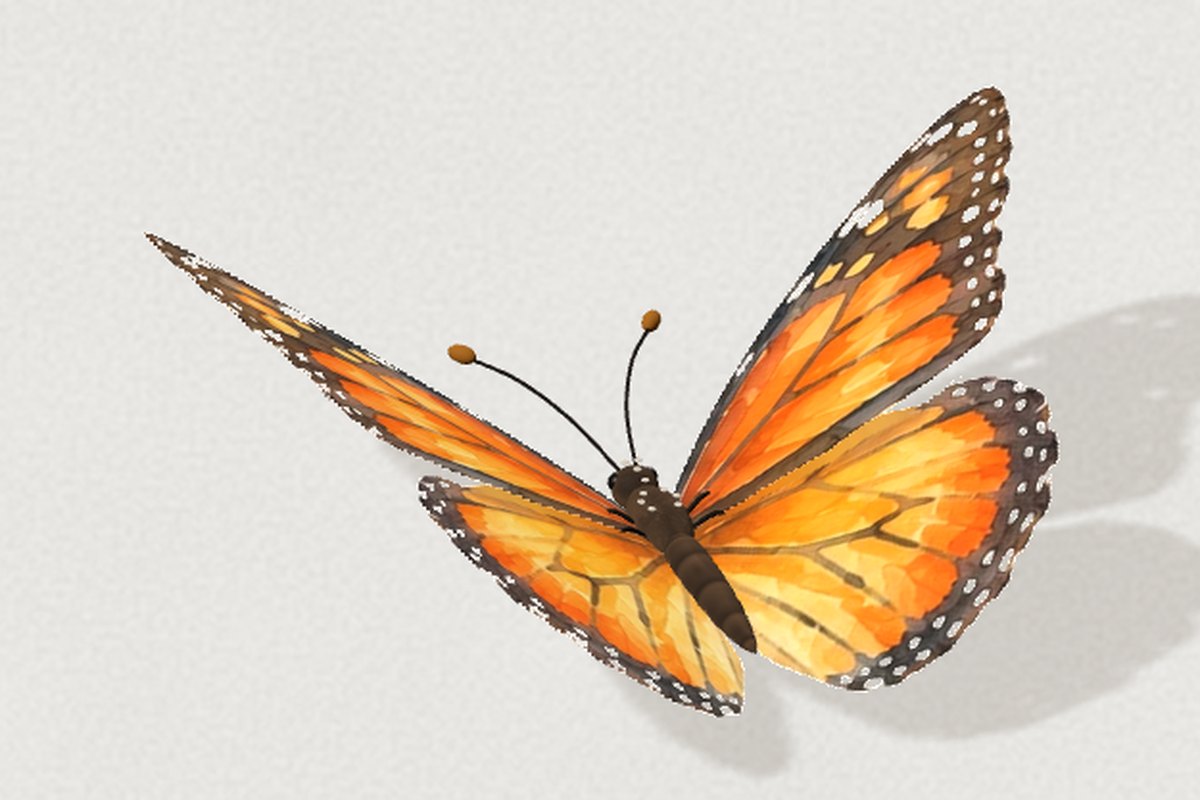
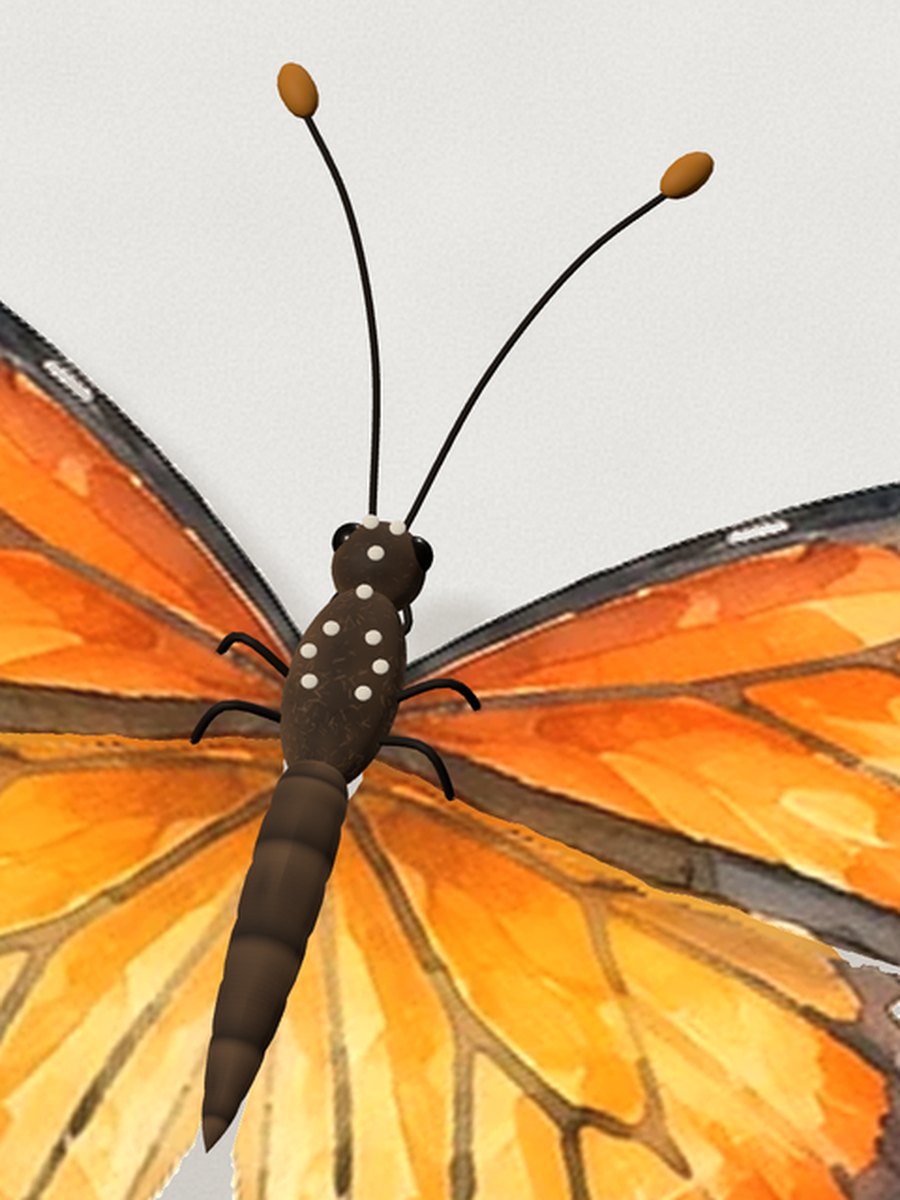
A monarch butterfly glides onto every case study about two seconds after it loads, lands near what you’re reading, hops away if you chase it, and leaves. It went from a flat sketch to a watercolour monarch in Three.js over a week of back and forth with Claude Code. There’s one on this page too.
- ~2sfrom page load to on screen, then about 3 seconds to glide down onto the page
- 3renderers: Three.js, with CSS 3D and flat SVG standing by if WebGL fails
- 2wing images, cut from a watercolour. The rest is built in code
Something alive on a still page
The site is dressed as an e-ink tablet: warm grey, grainy, still. By late September the background had started to feel too still.
Make the page feel subtly alive, without leaving the e-ink look behind.
THE GOAL · SEPT 23
-
A
Four Easter eggs, mocked in Paper Rain on the glass, a stylus that doodles and plays tic-tac-toe, a tiny resident, and one hit of colour: a monarch butterfly.
-
B
The stylus shipped first It went to the home page. The butterfly was next.
A soft distraction on the case studies: a butterfly that turns up after a few seconds, lands on the page, reacts to the cursor, and flies away gently, with nothing happening all at once.
THE BRIEF · SEPT 23
From paper cut-out to flexing wings
The first prototype was drawn flat and seen from straight above. Its wingbeat was faked by squashing each wing toward the body.
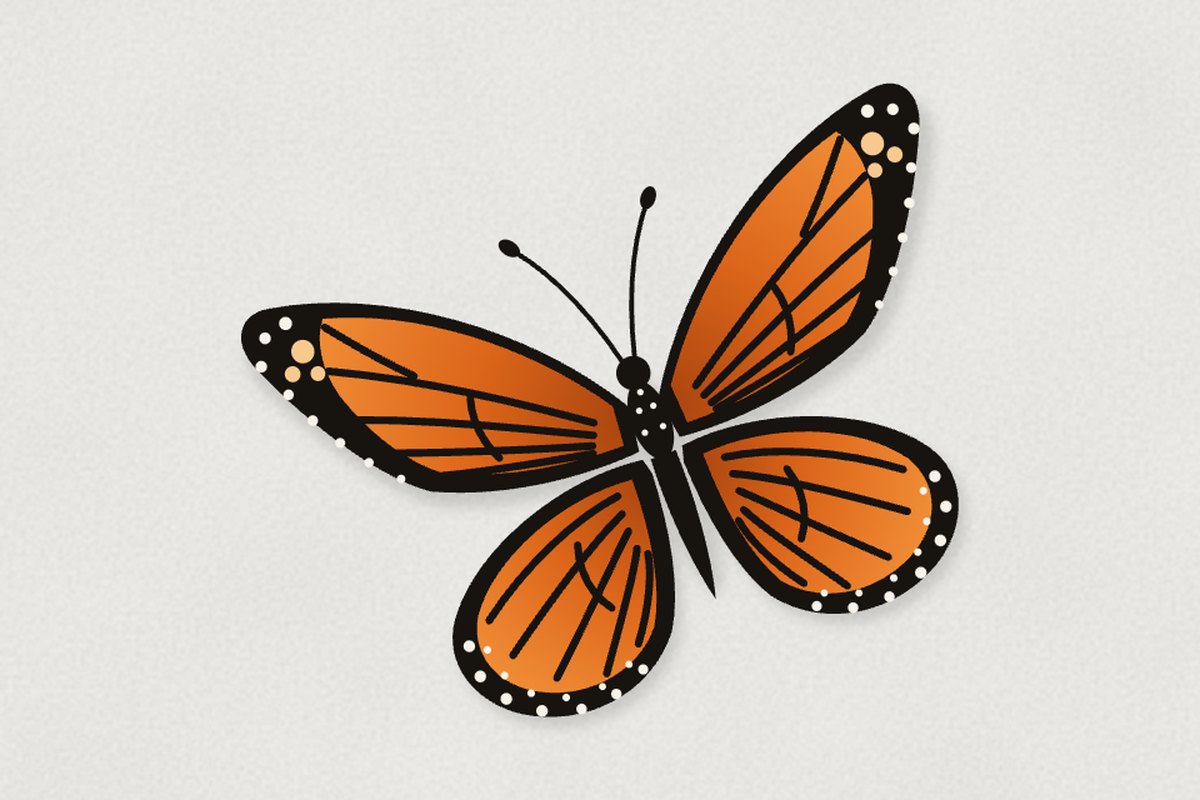
Move off the top-down view and give the butterfly real depth.
THE GOAL · SEPT 23
-
A
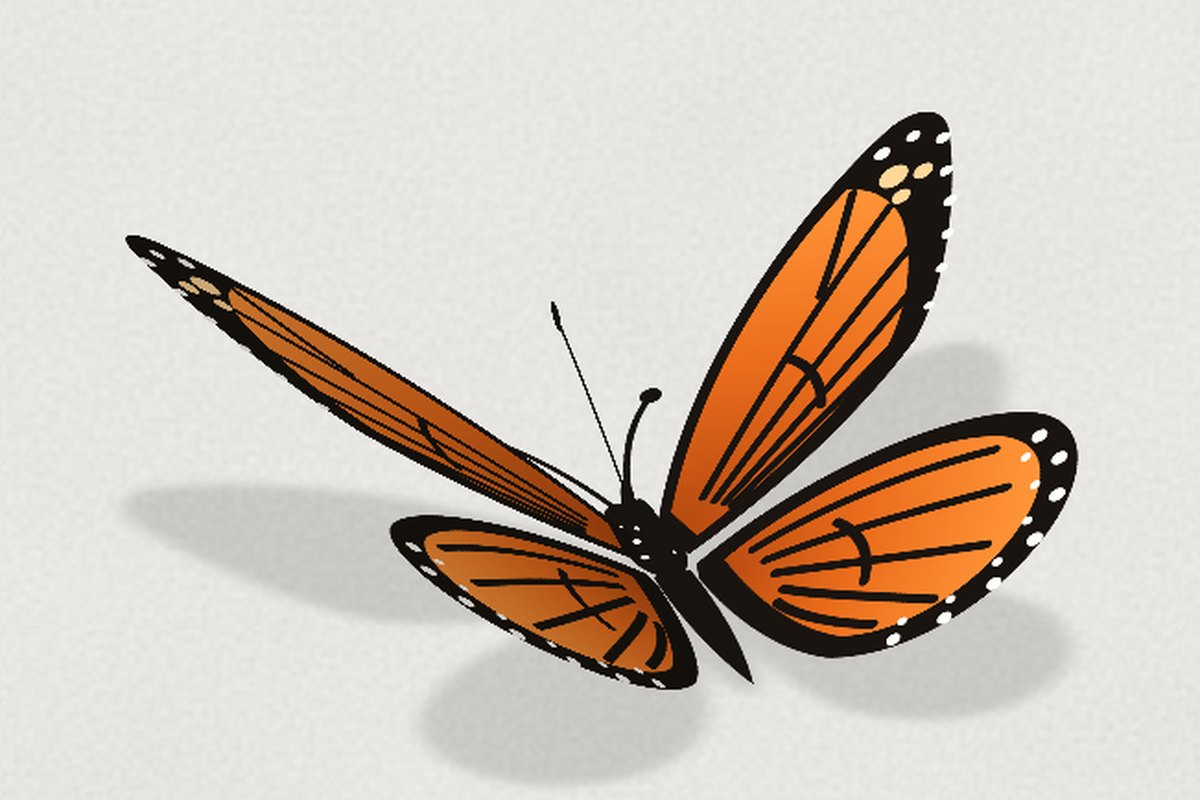
CSS 3D: four hinged cards Each wing became its own card, hinged on the body and turned in real 3D under a tilted camera. It had depth, but the wings stayed rigid.
-
B
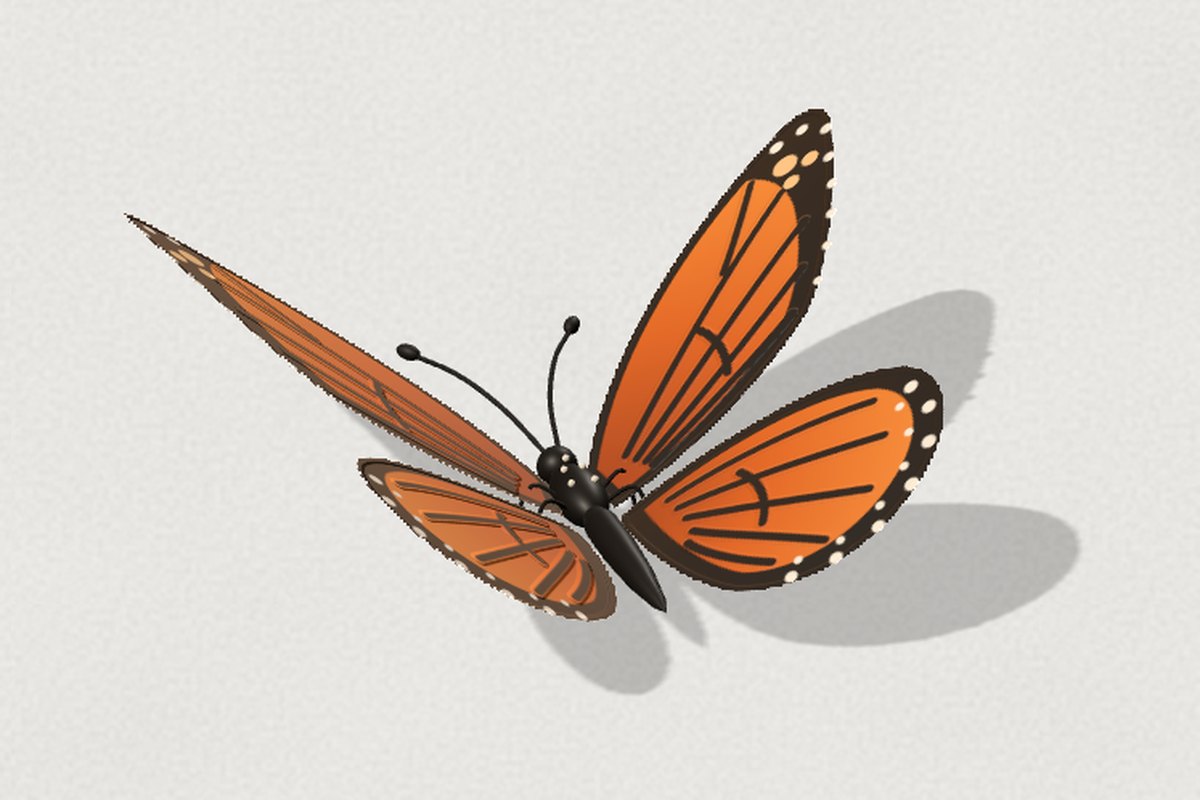
Three.js: wings that bend Each wing is a fine mesh bent every frame, the tip lagging the stroke. Then the flex was made more pronounced. Three.js only loads when a butterfly is about to appear, with CSS 3D standing in if it can’t.
Made for people who scan
Once it could fly, the question became whether anyone would see it.
Catch someone who is scrolling and scanning: start big and close to the camera, near enough to see the detail, then settle onto the page.
THE GOAL · SEPT 23
-
A
It starts at the lens It arrives large and slightly out of focus, lingers, then recedes onto the page. Then it got twice as big.
-
B
It counts time, not reading The first plan waited 30 seconds, which was too long. The prototype waited for 8 seconds of active reading, then 4, then 2 to 3 whether you scroll or not, because portfolio readers scan quickly and it has to reach them first.
-
C
It stays to play It holds the page for at least 10 seconds. Chase it and it hops to another open spot instead of leaving. The aim is to draw the reader in and let them play before it flies off.
-
D
It never clips It comes from the camera and from the side, so no edge of the window cuts it off mid-flight.
-
E
It’s on every case study It was always meant for every case study, not just one. Now it visits them all.
Painted, not drawn
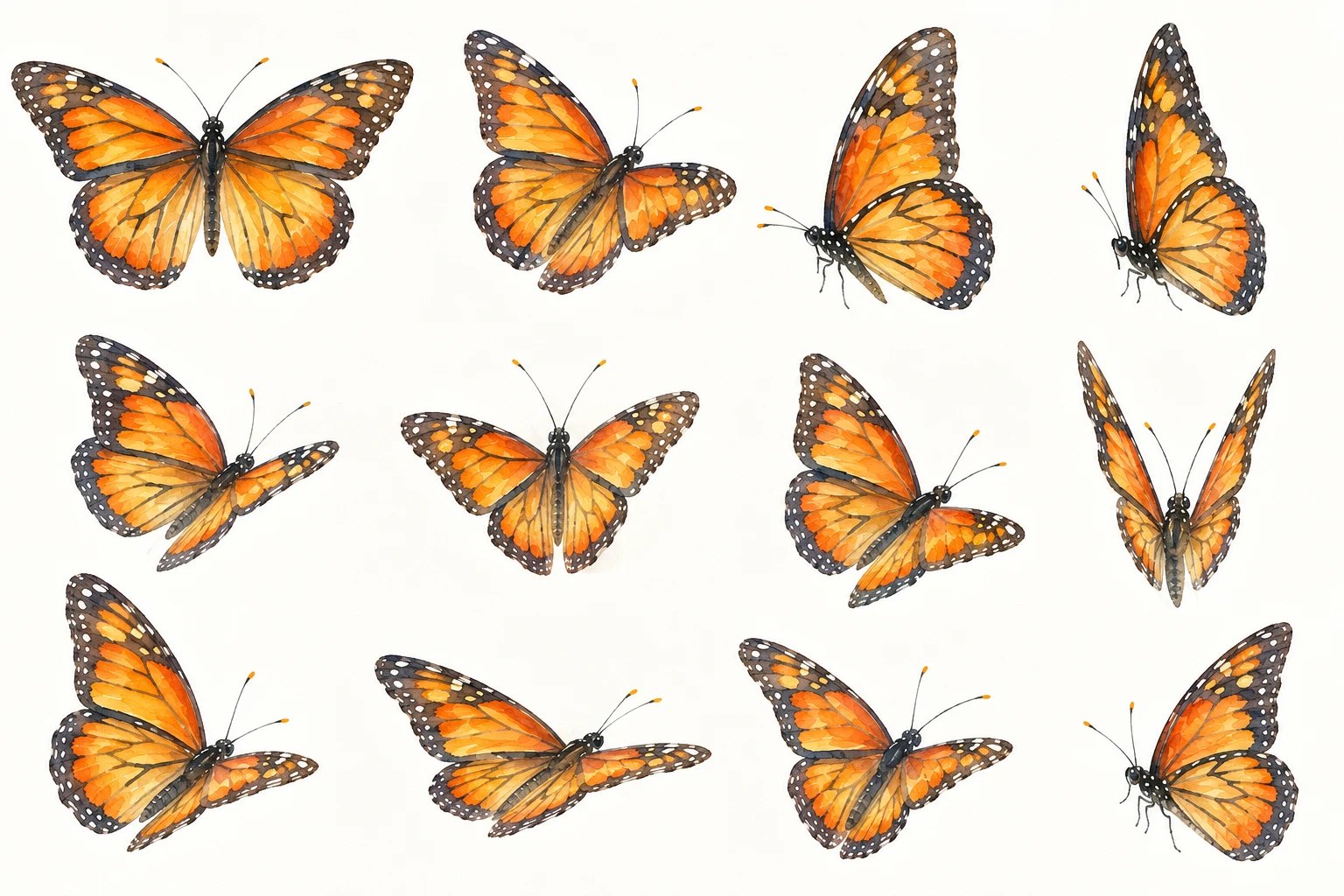
The motion worked, but it still looked like clip art. So a reference went in: a sheet of watercolour monarchs.
Make it more elegant: closer to the painted monarchs on the reference sheet than to a vector drawing.
THE GOAL · SEPT 24
-
A
Fix the drawing before the paint Viewing the wing art flat, without 3D lighting, showed the real gap was the drawing underneath. The forewing was a narrow leaf, the hindwing a teardrop, the veins loose parallel lines. It was redrawn with true monarch shapes and the monarch’s own veins: a closed cell near the body, fanning out to the edge.
-
B
Then the watercolour, in code Ragged painted edges, pigment pooling along the veins, fine grain, a warm brown-black border, and two rows of white dots traced along each wing’s real outline. Nothing extra to download.
-
C
The small things Pale spots in the wingtip, orange-tipped antennae, a spotted head, a paler underside, and a matte surface in place of a plastic sheen.
Less vector, more watercolour: wing texture, movement and size that feel organic and natural, as close to the reference as it will go.
THE GOAL · SEPT 26
-
D
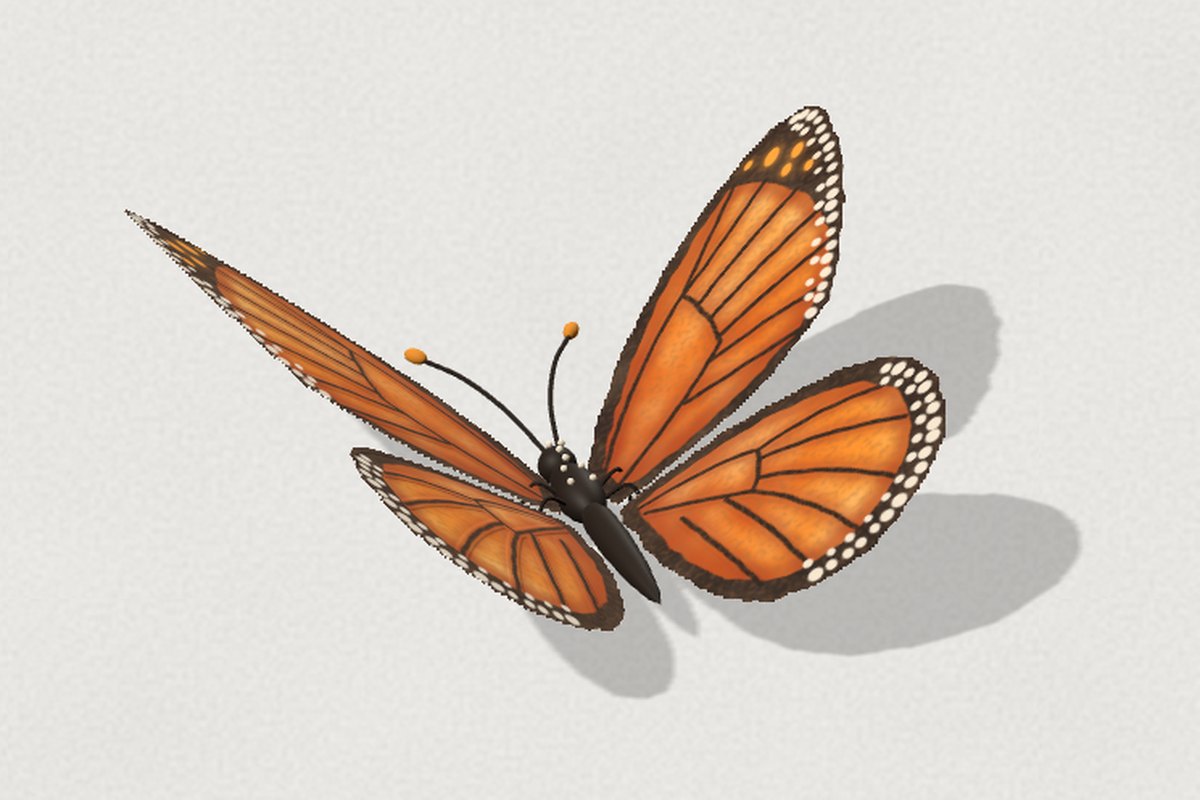
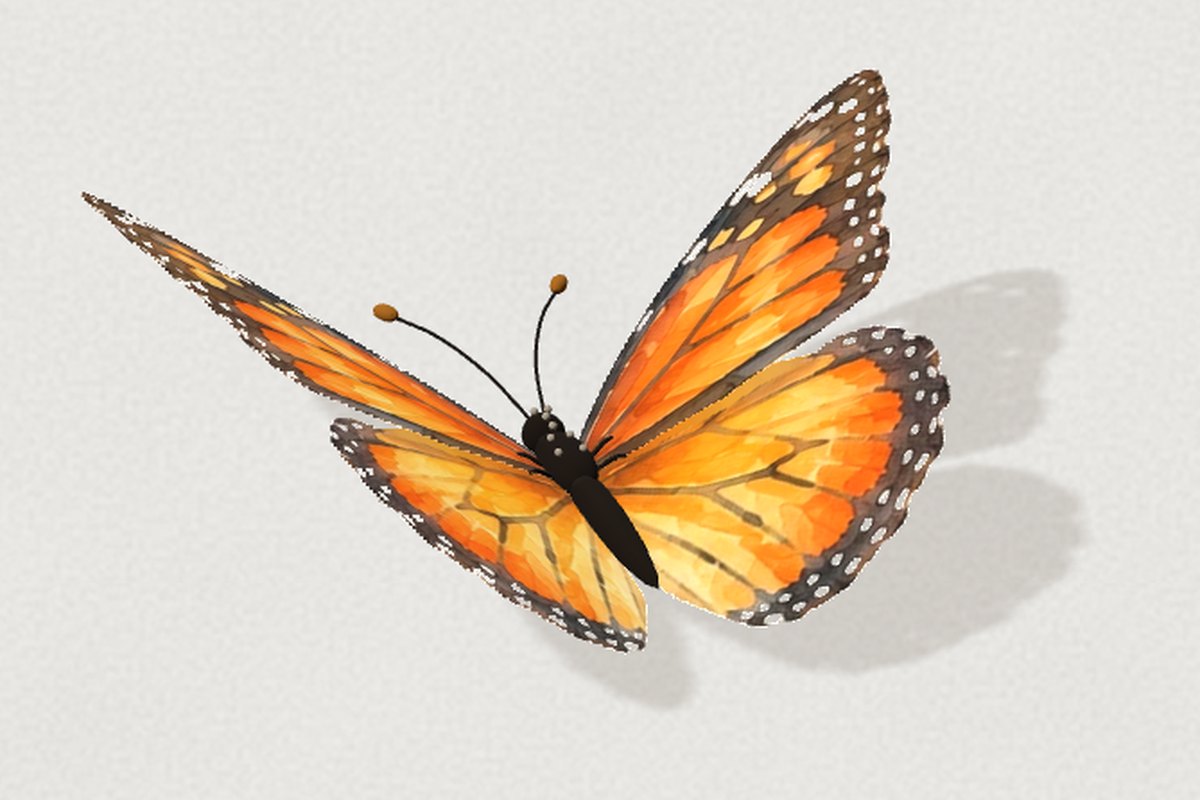
The painting, cut out Painted in code, it still read a little vector. So the wings are now cut from one of the monarchs on the reference sheet: a forewing and a hindwing, mirrored for the far side, with a paler underside. The painter in code stays on as the fallback.
-
E
Clean seams Cut apart, the wings showed their joins. A sliver of the painted body stayed on each root, and a strip of the forewing’s dark edge stayed on the hindwing; with the wings raised, each stood up as a stray line. The cut now traces both edges exactly, and the hindwing no longer rises past the forewing mid-stroke.
-
F
No two wingbeats alike Each beat is a little higher or lower, longer or shorter than the last, and the stroke goes deeper. The body bobs and noses up on every downstroke. In open flight it jinks, and its hops wander either side of the line. It’s also bigger, 240px across, up from 120, and its beat is slower: 0.7s, up from 0.34.
Down in under five seconds, every time
It looked right. But in use it was slow to show up, and sometimes it didn’t show up at all.
Be on screen within a second or two, glide in so it gets noticed, and never fail to appear.
THE GOAL · SEPT 25
-
A
It started out of sight It spawned about 260px past the edge of the window, crawled in, then circled its spot before landing. Now its near wing is over the edge from the first frame, and it glides in on a clock: about 3 seconds from the edge to landed.
-
B
It didn’t come back It visits once per page, and the browser’s back button restored a page where it had already left. Coming back now counts as a new visit.
-
C
It pivoted to land Every landing ended in the same stiff pivot to one angle. It had been turning toward a fixed heading on touchdown. Now it stops steering for the last stretch, sits the way it flew in, and at most shuffles a little.
A body to match the wings
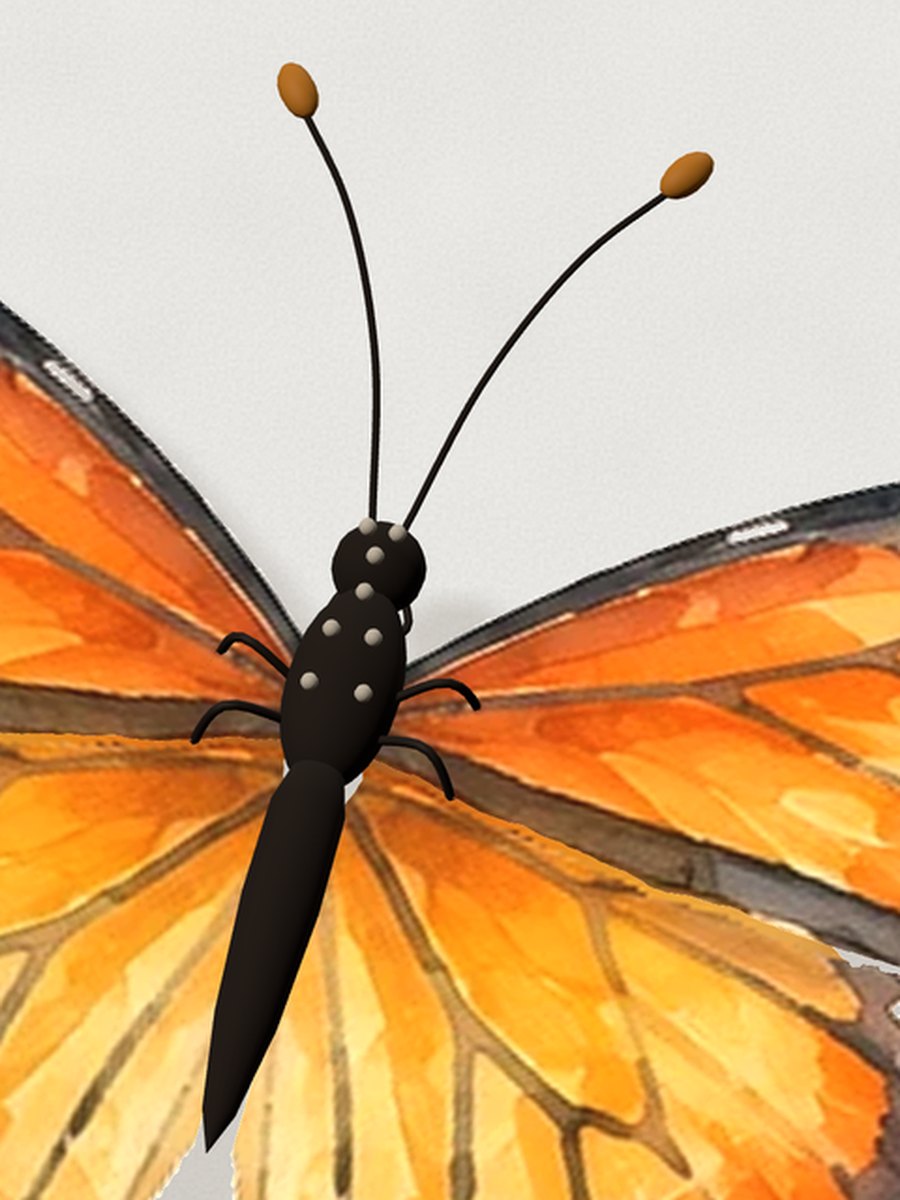
With the wings cut from a painting, the body stood out: one flat, brown-black shape that read as a black slab at any size.
Make the body look real, like the bodies on the watercolour sheet rather than a flat black shape. And make the butterfly a touch smaller, on screen two seconds after you open a case study.
THE GOAL · SEPT 30
-
A
Painted, like the wings Each part gets its own watercolour texture: charcoal brown, darker toward the belly and warmer along the back. The abdomen is ringed in its shape as well as its paint, with faint pale spots on its sides. The thorax is fuzzy, with short painted hairs and a soft velvet sheen, and its white spots are flat dots rather than beads. The head has dark, glossy eyes. The paint also lights the body, the way it does the wings, so it keeps its colour as it turns.
-
B
A touch smaller 210px across, down from 240.
-
C
On screen at two seconds It now waits about a second and a half once the page has drawn, so it appears about 2 seconds after you open a case study.
The dials
These are the controls it was tuned with, and they drive the butterfly on this page, live. Switch the renderer to see each stage above. Nothing is saved.